
2019 August – Taccle 3 Course in Milan
Mobility
Computational Thinking
Computational thinking – unplugged
- What is Computational Thinking?
- Why Computational Thinking?
- Computational thinking as 21st century skill: basic terminology – Concepts of Computational thinking

Classroom techniques – unplugged
How to introduce computational thinking in the classroom:
- Algorithm
- Decomposition
- Generalisation
- Abstraction
- Aims: I can …
- define and use the definition of computational thinking and its concepts;
- use the basic terminology of computational thinking
- define and use the concepts algorithm, decomposition, generalisation, abstraction;
- be aware of a range of applications of computational thinking in different disciplines;
- to select and use some of the activities available on the Taccle3 website for this subject.
Cup song by Portugal and the course Tutors
How to Teach? Pedagogical Framework to Create Lessons
- Introduction: framework to plan lessons.
- Create your own lesson.
Aims: I can …
- determine the ‘why’ at the start of the unit.
- decide ‘what’ the learning outcomes are for the lesson.
- identify the possible associated computational thinking concepts.
- use the computational thinking concepts to identify possible techniques ‘how’.
Assessment and Progression
Assess progression and achievement across the subject of computational thinking and coding.
Aims I can …
- use different types of assessment.
- use a progression pathway as a guide to assess students’ skills
Introduction to Coding for Younger Children
List the key coding concepts that younger children will need to know and relate these to the Taccle3 website
- Define words that the children will need to use in terms that young children can understand them and give illustrations for each
- List some of the activities they already do that can be used or adapted to teach coding
- Explain and use different approaches to teaching coding, (including unplugged, TUI and robots, graphic environments), the advantages and disadvantages of each and how they can be used both sequentially and in parallel.
- Identify the resources they will need, how much they will cost (and what can be home-made) and where they can be sourced.
- Use some age appropriate ideas and techniques for introducing coding to their class

Having a go with Ozobot
What is your classroom going to look like in 5 years time?
At the end of the session teachers will be able to:
- Discuss some of the major innovations in technology and pedagogy that will impact on teaching in schools
- Discuss the difference in learners and the new literacies they will need.
Cup Song by Slovenia and Belgium
Integration of Coding Across the Curriculum
At the end of the session teachers will be able to:
- List some of the coding principles that are transferable to other curriculum areas
- Explain how coding principles can support other subject areas
- Explain how work in other curriculum areas can help and inform children learning to code
- Identify things that they already do in the classroom that they could build on to deliver computing/coding competence
Progression from Kindergarten to Primary
At the end of the session teachers will be able to:
- Identify key elements in their own curriculum (if appropriate).
- List basic computing concepts and be able to devise graded and progressive activities to demonstrate them.
Recognising Patterns
Control Technology for Younger Children
At the end of the session teachers will be able to:
- Explain what is meant by control technology and why it is important.
- Give examples of control technologies in nature.
- Explore a range of input / outputs. TACCLE 3 IST Course Program Page 7
- Describe what a sensor is and use a variety of sensors to trigger particular outputs.
- Use a simple data logger.
Makey Makey
At the end of the session teachers will be able to:
- Explain what a Makey Makey board is and how it works.
- Set up a Makey Makey.
- Explore a range of activities using Makey Makey boards.
- List some of the STEM competences that can be developed using Makey Makey
Using Graphic Environment for Coding with Younger Children
At the end of the session, teachers will be able to:
- Describe the benefits and disadvantages associated with using graphic environments as opposed to e.g TUI, text based languages, robots etc.
- Use and evaluate the usefulness of a range of graphic programming apps e.g Lightbot, Daisy the Dinosaur etc, Scratch Junior.
- Explain how graphic programming environments can be integrated in a scheme of work and demonstrate progression.
Playground Games for Learning about Codes and CT
At the end of the session teachers will be able to:
- Play a range of games, both unplugged and using technology, that develop computing and coding skills.
- Identify the competences that each game develops and the age range for which they are appropriate.
- Design a game for developing or practising competences that are part of the computing curriculum.
Cheers to all!
Create Stories, Animations and Games with Scratch
Introduction to the Scratch interface
- Explore a range of activities using Scratch.
- Learn to write simple scripts to make sprites move in Scratch
Aims: I can …
- create a Scratch project that combines animation and music
- express a complex activity using a sequence of simple instructions
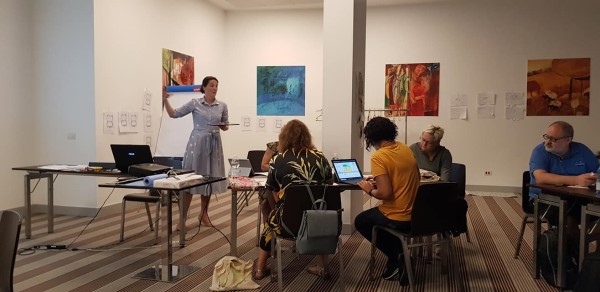
Putting Scratch into Practice
Bring Coding to Life with Ozobot
- Introduction to Ozoblockly (block-based coding editor)
- Experience coding gamified with OzoBlocklyGames
- Classroom: lesson plans and activities for Ozobot in your Classroom
Aims: I can …
- understand the basic concepts of computational thinking and programming.
- program Ozobot Bit by using the OzoBlockly interface.
- integrate Ozobot into lessons.
Sharing Good Practice
Getting Started with BBC microbit
Concept: Introduction to the BBC micro:bit’s key features.
- Skills: Access & operate the simple programming editor.
- Discover: Explore the micro:bit’s built in sensor types & the values they report. Let’s Code: Power your imagination with code in school.
Aims I can …
- create programs that implement algorithms to achieve given goals.
- programme a simple setup.
- recognize a bug and can debug the malfunctioning code.
First Steps with Calliope
Introduction to the Calliope key features
- Access and operate the simple programming editor.
- Explore the Calliope built in sensor types and do some actions.
Aims: I can …
- create programs and get used to control structures and calliope specific commands.
- recognize a bug and can debug the malfunctioning code.
- implement algorithms to achieve given goals like a temperature control, a theft-alarm or a dice.